Pivot Data & AI Power BI Consulting
Microsoft Power BI brings every system your business runs into one live view of performance. We connect your data and build the reports your team will actually use.
What is Power BI?
Power BI is Microsoft's business reporting platform. It connects to the systems you already use, combines their data, and turns it into interactive dashboards you can explore on a laptop, in Teams or on your phone.
How it works
- 01
Connect
Pull in data from your POS, online store, accounting software, ERP, spreadsheets and databases.
- 02
Model
Clean and combine it into one trusted data model, with your KPIs and business rules defined once.
- 03
Share
Publish interactive reports to the people who need them, with access controlled by their role.
Power BI is part of the Microsoft ecosystem, so it works alongside the Excel, Teams and SharePoint your team already uses.
Why businesses choose Power BI
Integration
All your data sources in one place
Power BI connects to over a hundred data sources, from Shopify and Xero to SQL databases and Excel files. We combine them so sales, costs, stock and staffing sit in one report, not five browser tabs.
- Ready-made connectors for cloud apps, databases and files
- Data from different systems matched on product, location and date
- One version of the numbers across the business
Automatic refresh
Reports that update themselves
Scheduled refreshes pull in new data throughout the day, so the numbers are current when you open them. No more Monday mornings spent rebuilding spreadsheets.
- Up to eight scheduled refreshes a day on a Pro licence
- Alerts when a KPI crosses a threshold you set
- Reports emailed to inboxes on a schedule
Mobile
Your business in your pocket
The free Power BI app for iPhone and Android puts your reports on your phone, with layouts designed for small screens. Check last night's sales from the car park, not the back office.
- Report layouts built for phone screens
- Tap to filter and drill into the detail
- The same security as on desktop







And more
Drill from total to detail
Click any number to see what's behind it, from company total down to store, product and day.
Role-based access
A store manager sees their store; owners see everything. One report, the right view for each person.
Works with Microsoft 365
Share reports in Teams, embed them in SharePoint and analyse the data in Excel.
Room to grow
Start with one report, then add data sources, users and new reports as the business grows.
See what we can do
Meet Ridgeline Roasting, a fictional coffee roaster we built a Power BI demo for. The business and its numbers are made up, but the problems are ones we see every week.
Specialty coffee roaster
Ridgeline Roasting
Ridgeline roasts its own beans and sells them online and through three cafes, which also sell coffee, food and merchandise.
- Roastery
- 1
- Cafes
- 3
- Online store
- 1
The problem
Online orders lived in Shopify, cafe sales in Square, costs in Xero, and roasting and stock in their ERP. Answering “which beans make us the most money?” meant days of spreadsheet work.
What we built
One Power BI report that combines all four systems, refreshes itself every morning and works on the owners' phones.
Data sources
 Shopify
 Square
 Xero
Xero- ERP
The report, page by page
- 01
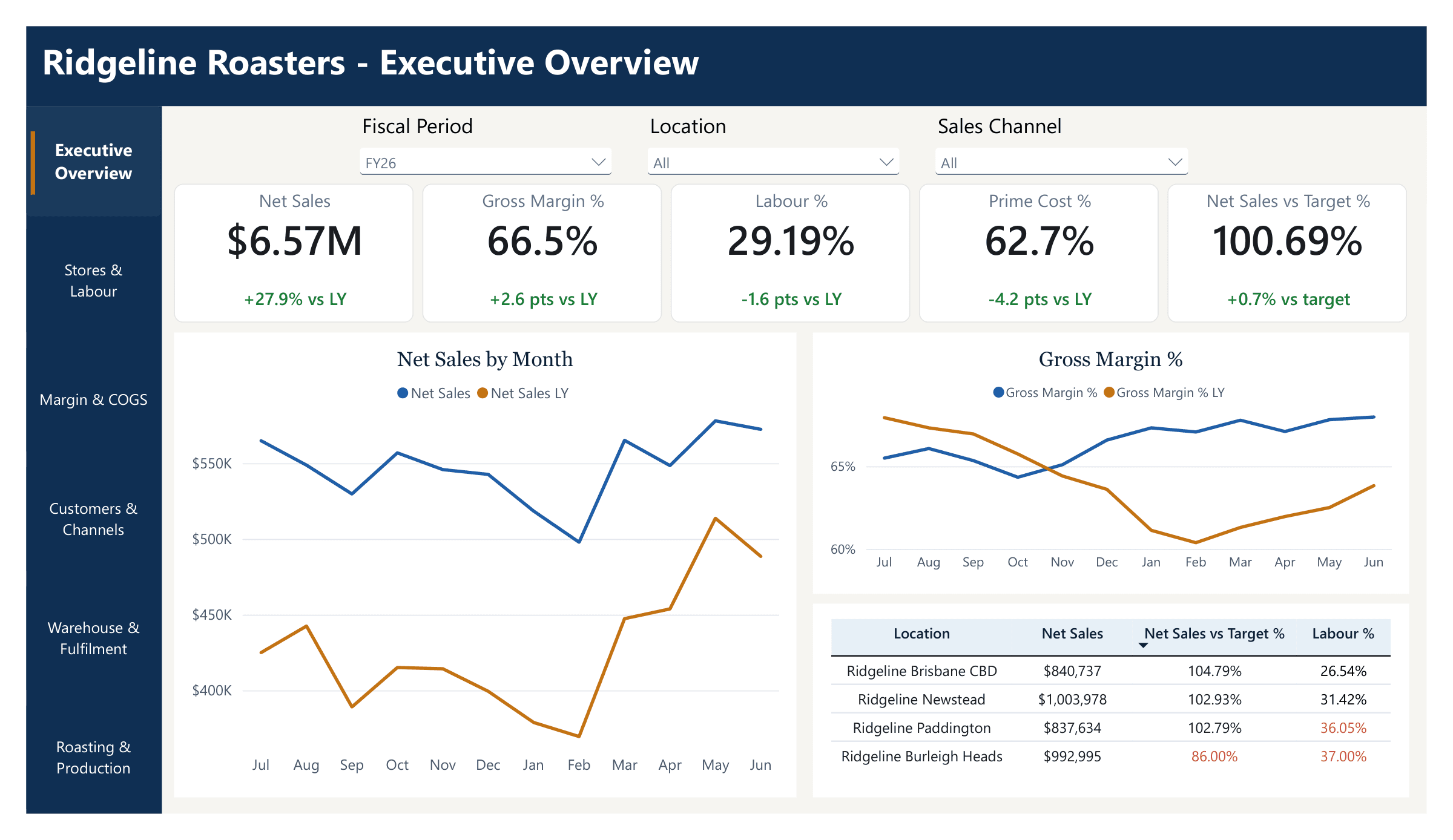
Executive overview
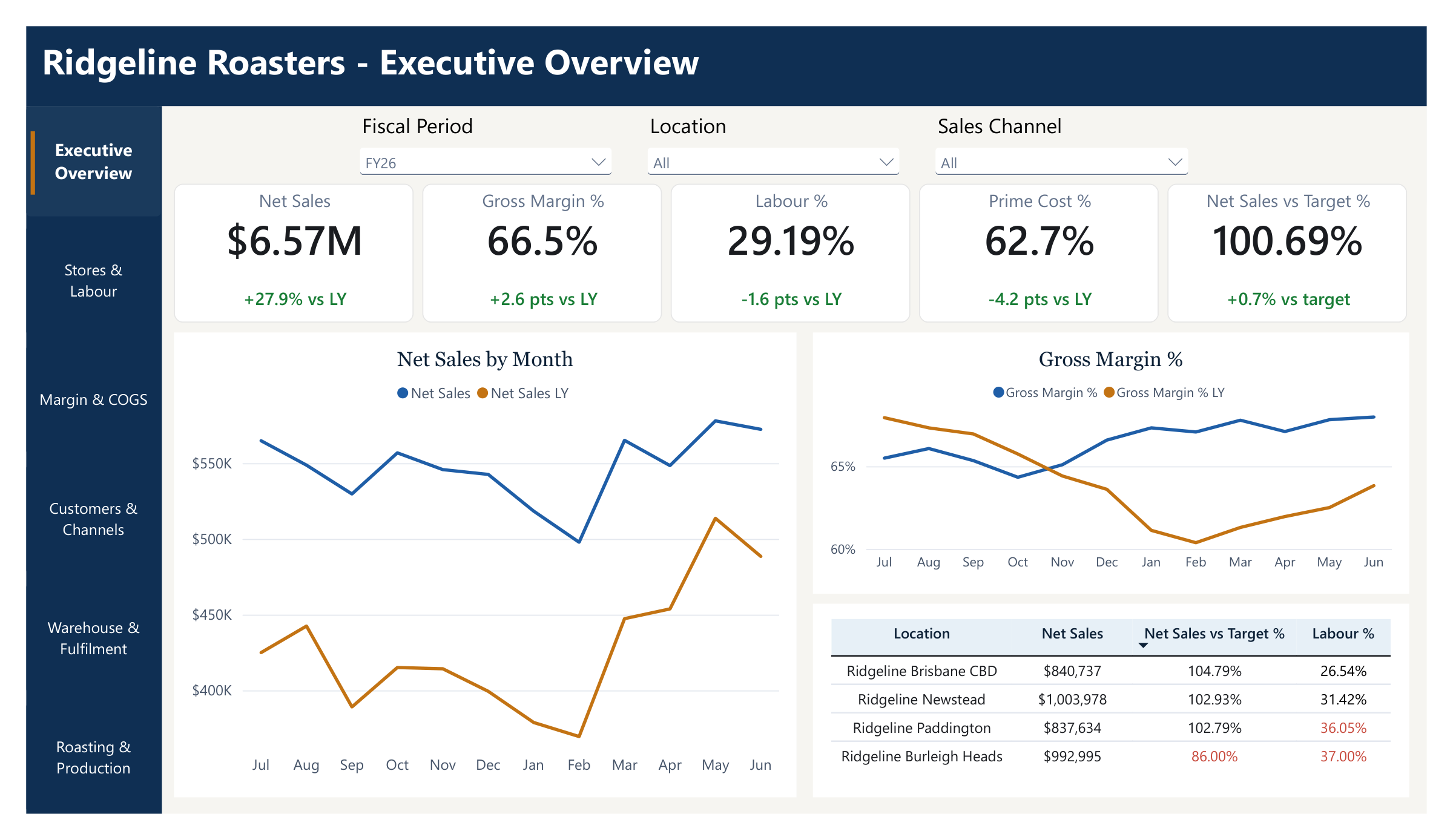
Net sales, gross margin, labour and prime cost for the whole business against last year, filterable by period, location and channel. The location table flags straight away that Burleigh Heads is running 14% under target.
 Open full size: slide 1
 - 02
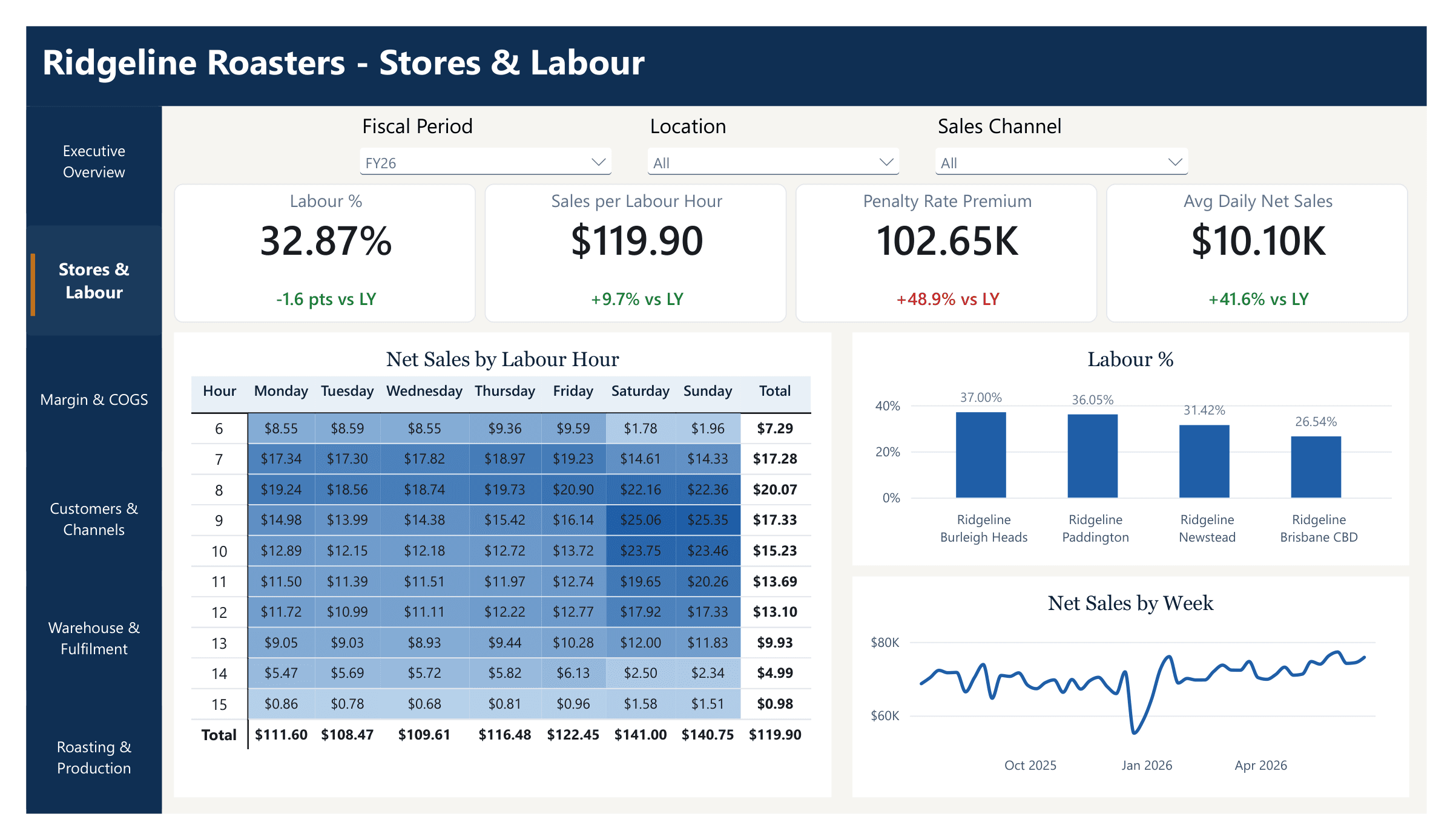
Stores and labour
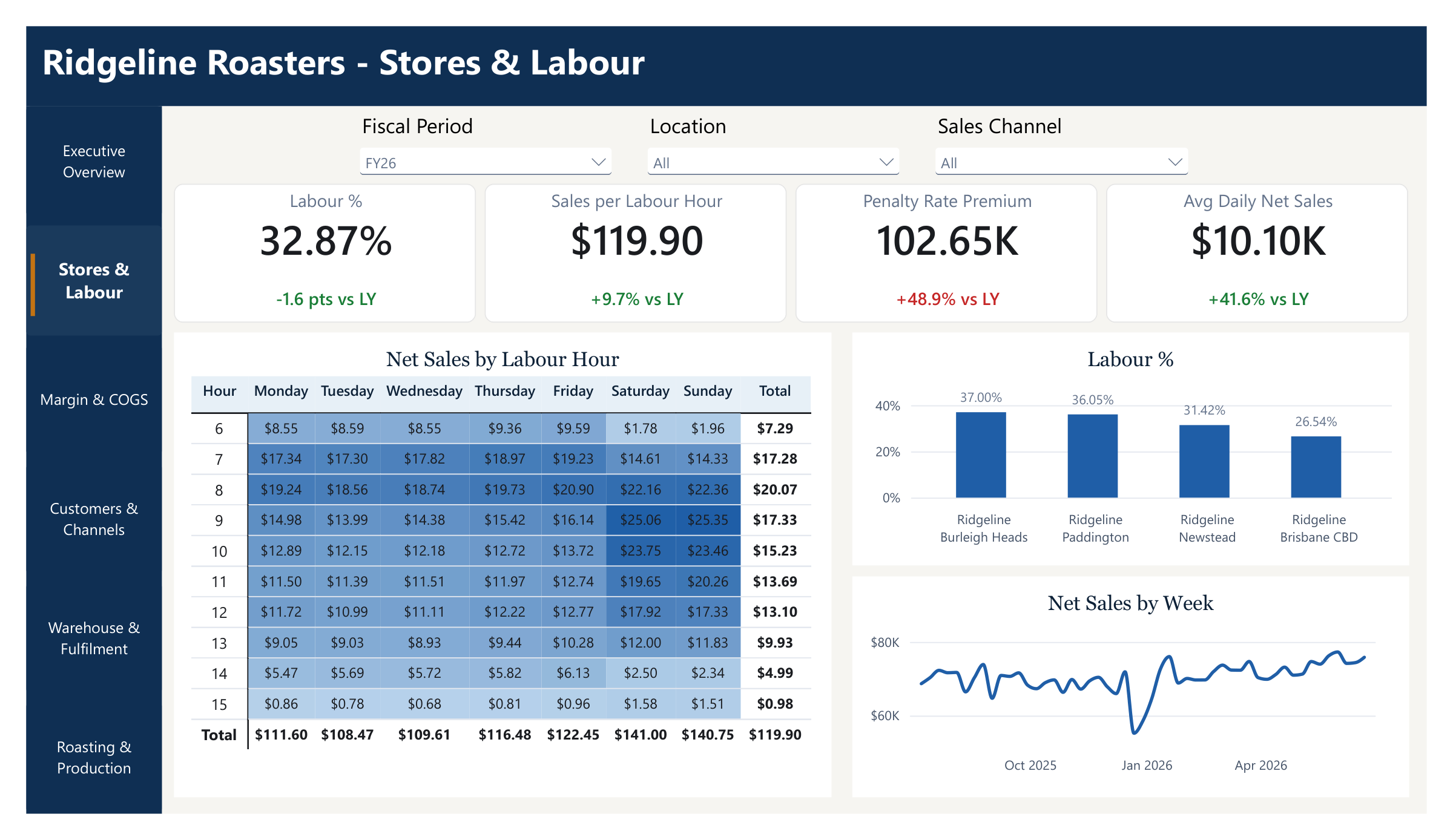
Labour cost by location, sales per labour hour and penalty-rate costs. The heatmap shows sales per rostered hour by day and time, so busy weekend mornings get more staff and quiet early starts get fewer.
 Open full size: slide 2
 - 03
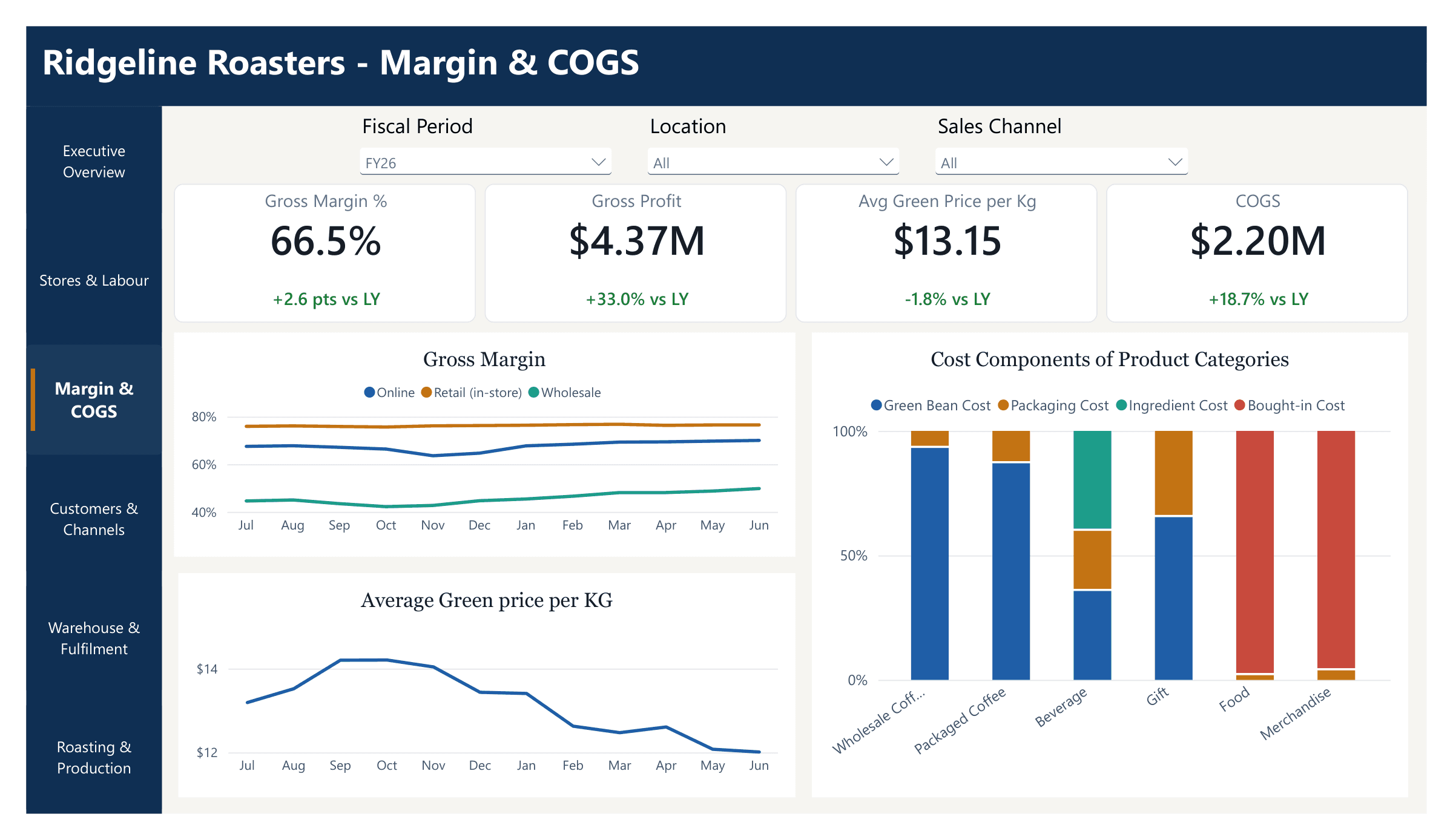
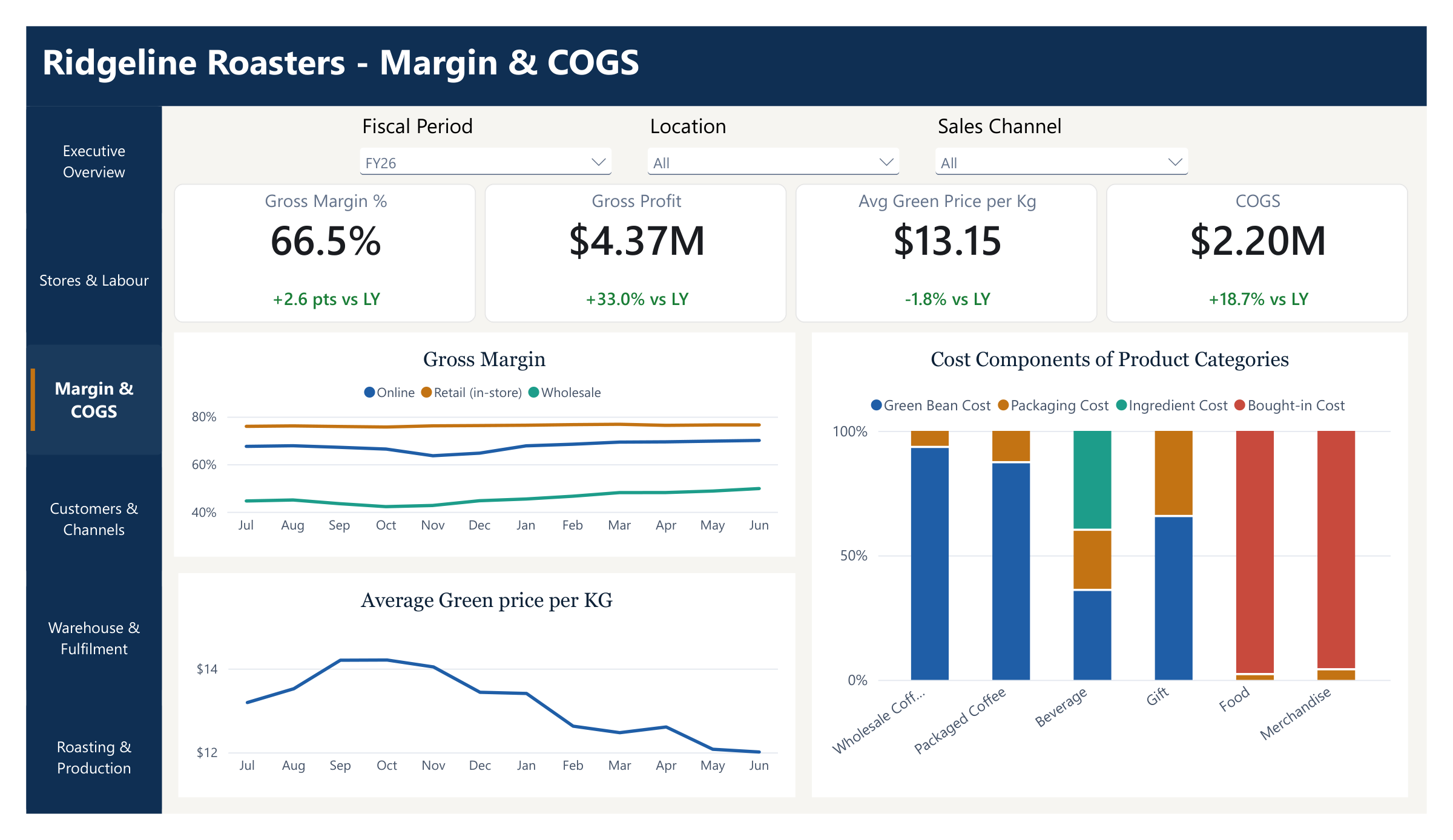
Margin and cost of goods
Gross margin for online, in-store and wholesale sales, the green bean price per kilo over the year, and what makes up the cost of each product, from beans and packaging to bought-in food.
 Open full size: slide 3
 - 04
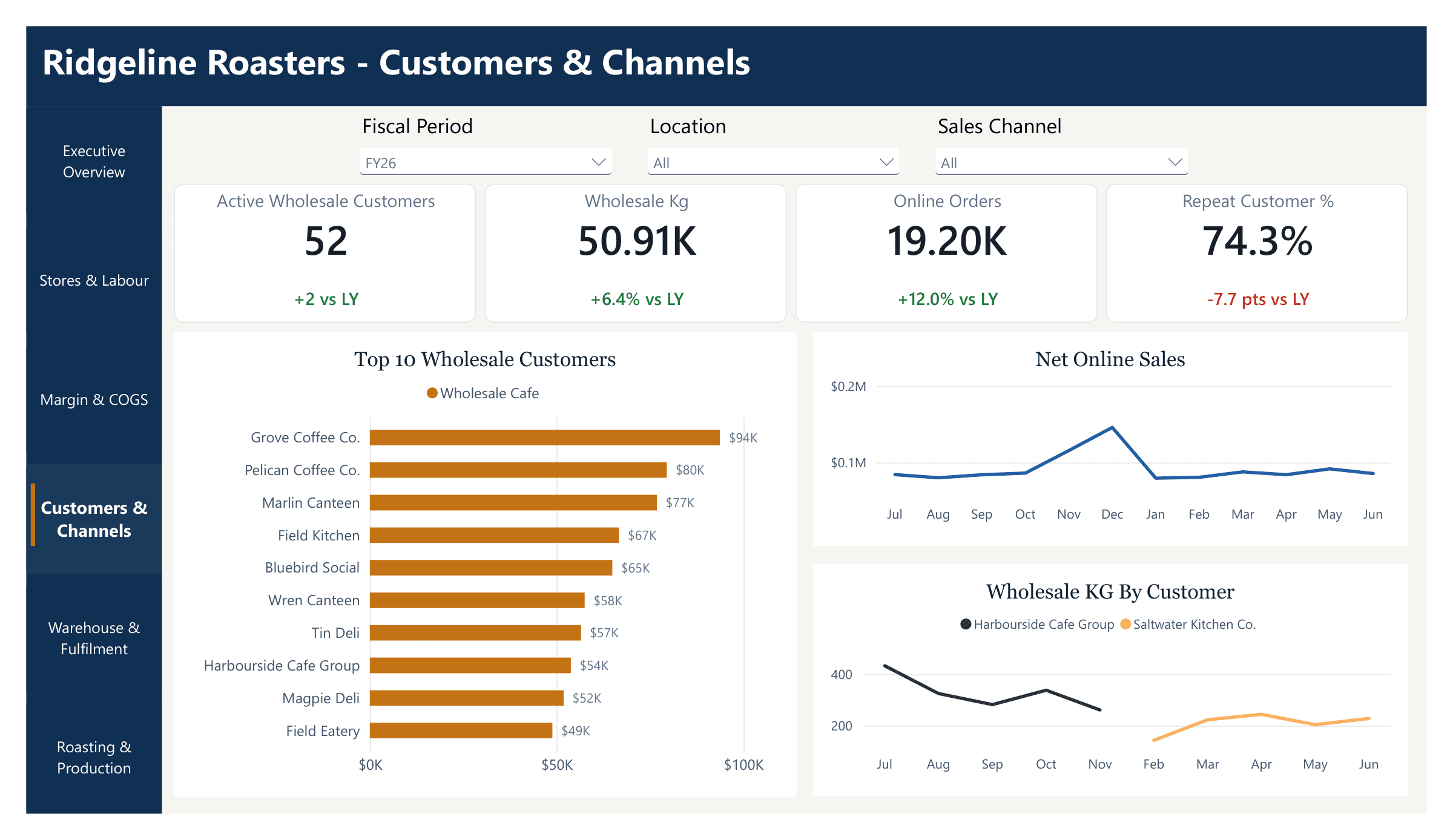
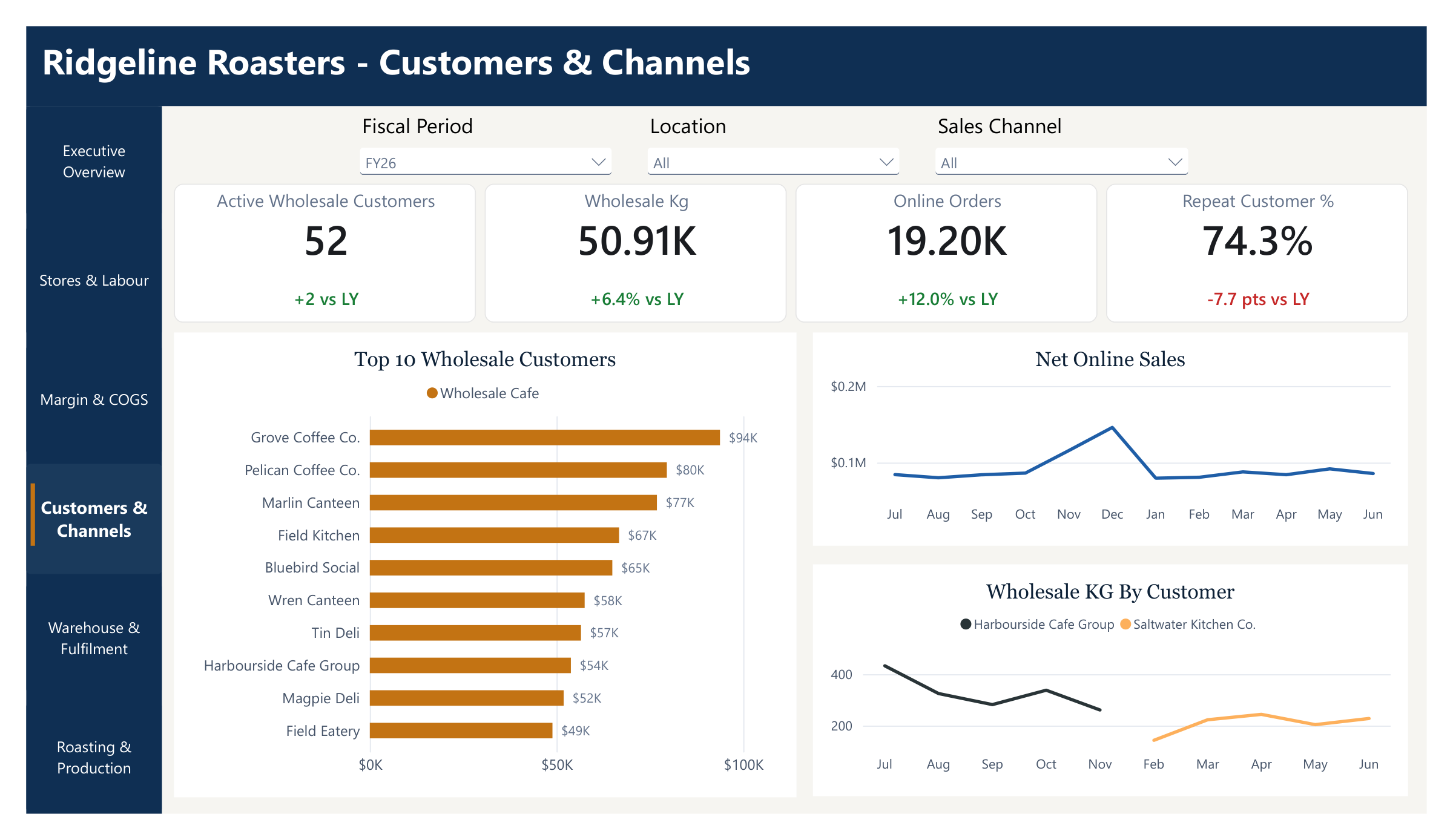
Customers and channels
Top wholesale accounts, online sales and repeat-customer rate. When a wholesale customer's orders dry up, it shows here before the account is lost.
 Open full size: slide 4
 - 05
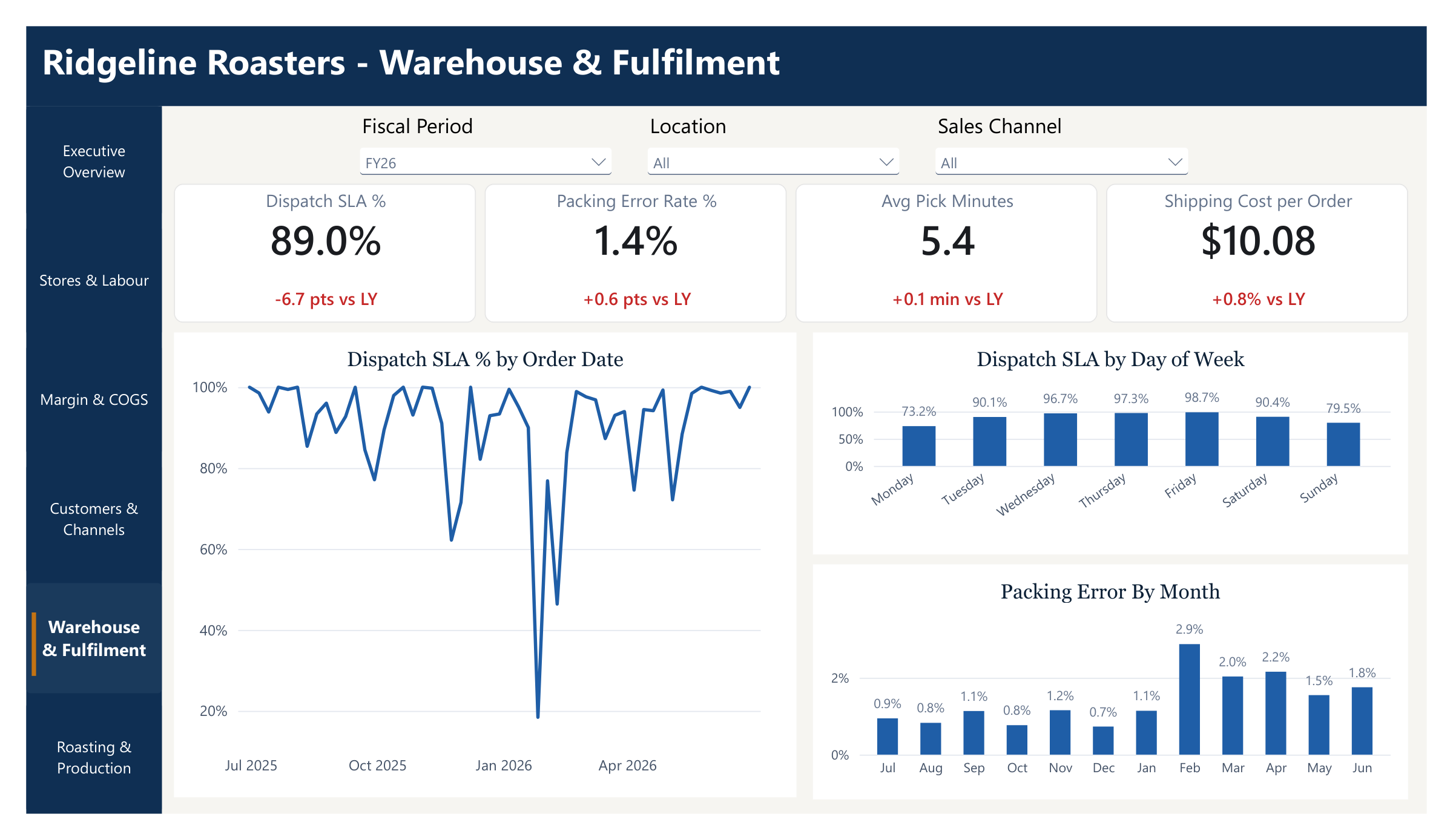
Warehouse and fulfilment
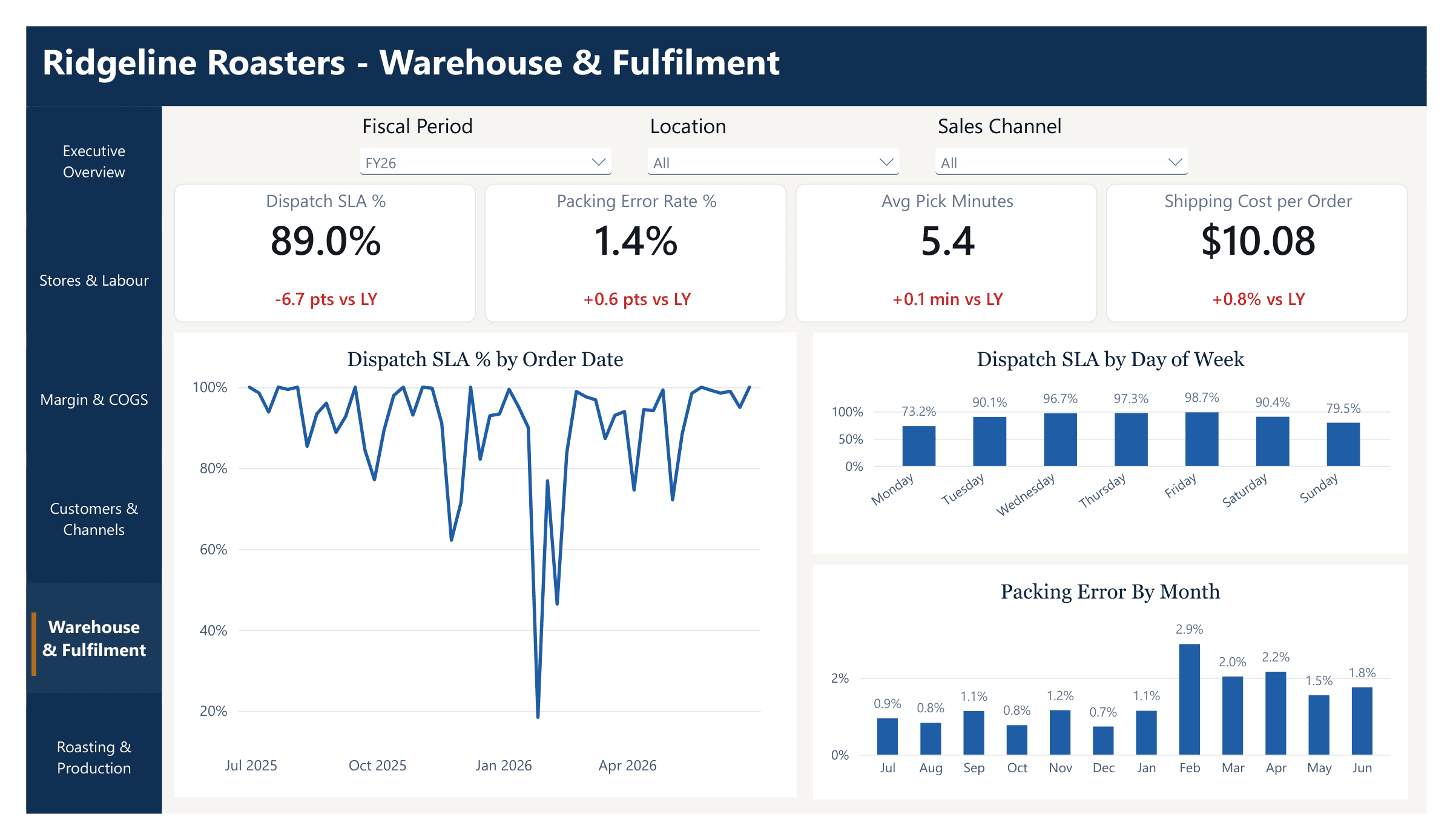
On-time dispatch, packing errors, pick times and shipping cost per order. Monday and Sunday dispatch lag the rest of the week, and packing errors jumped in February.
 Open full size: slide 5
 - 06
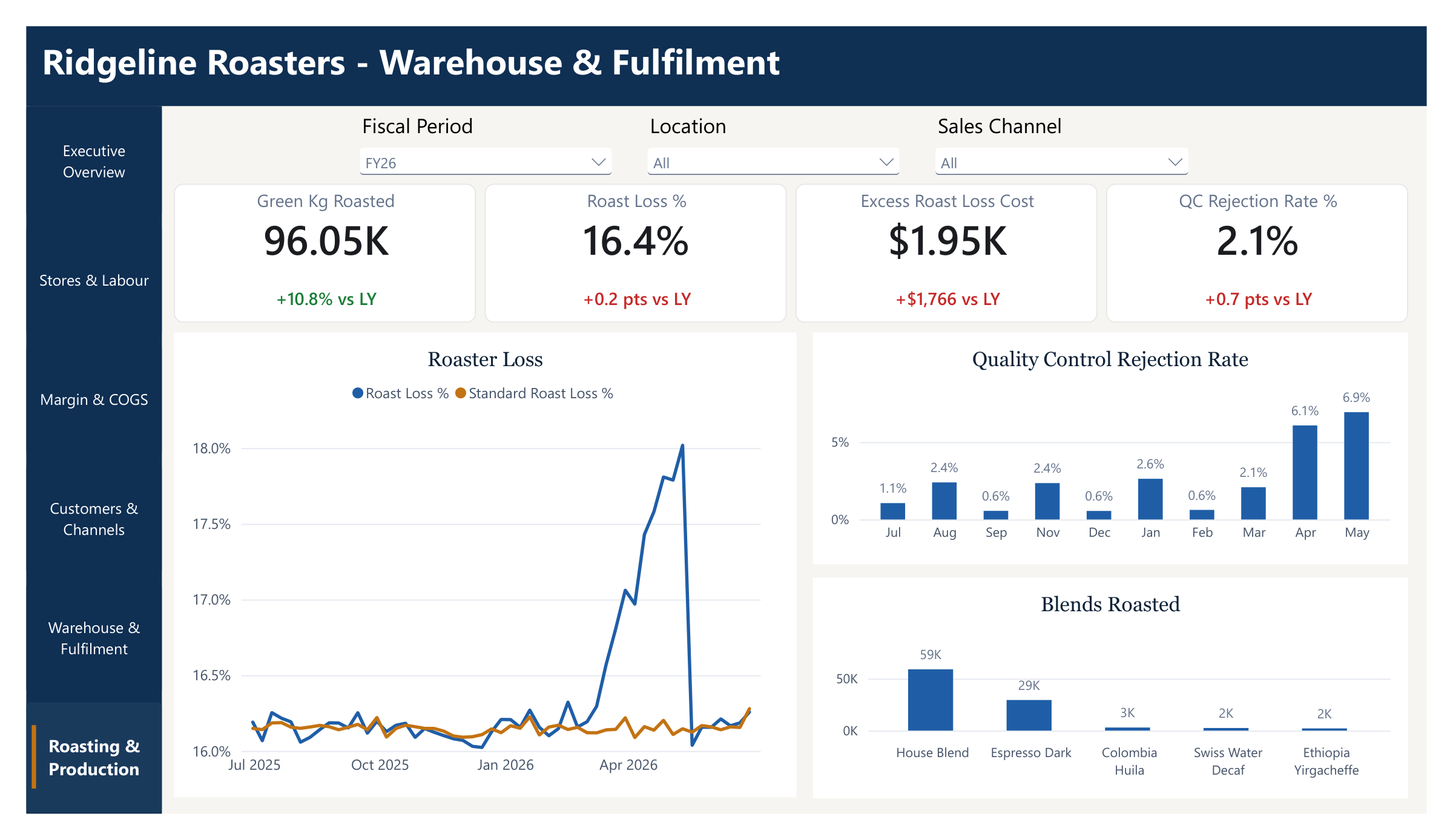
Roasting and production
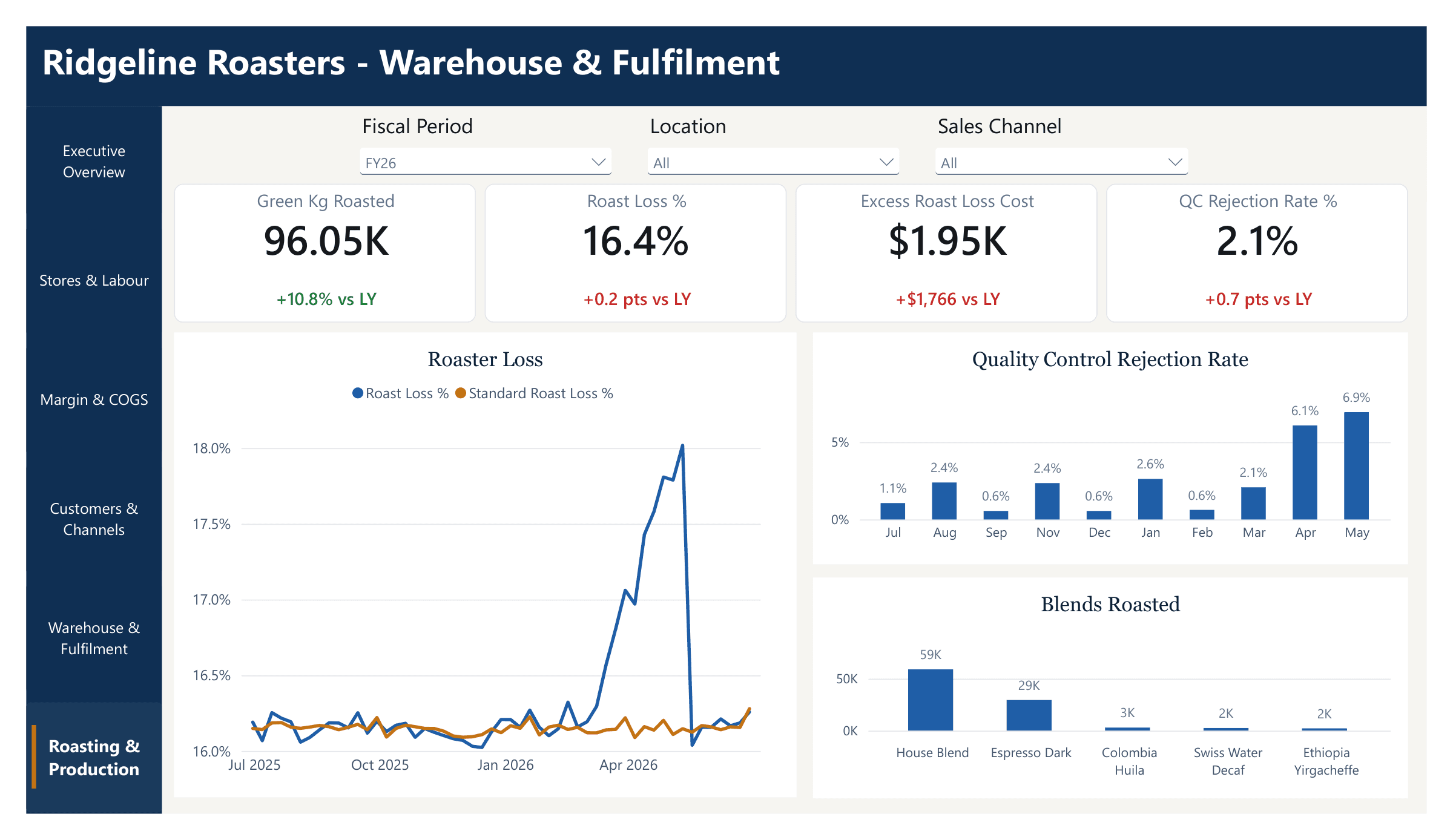
Kilos roasted, roast loss against the standard, quality-control rejections and volume by blend. The roast-loss spike from March to May stands out, along with what it cost.
 Open full size: slide 6
Want this for your business?
Tell us which systems you use and the questions you want answered. We'll show you what a Power BI report could look like for you.
Ridgeline Roasting is a fictional business created for this demonstration. Power BI is a trademark of Microsoft. Logos are trademarks of their respective owners.
Let's talk about your data
Tell us a little about your business and what you'd like to improve. We'll get back to you within two business days.